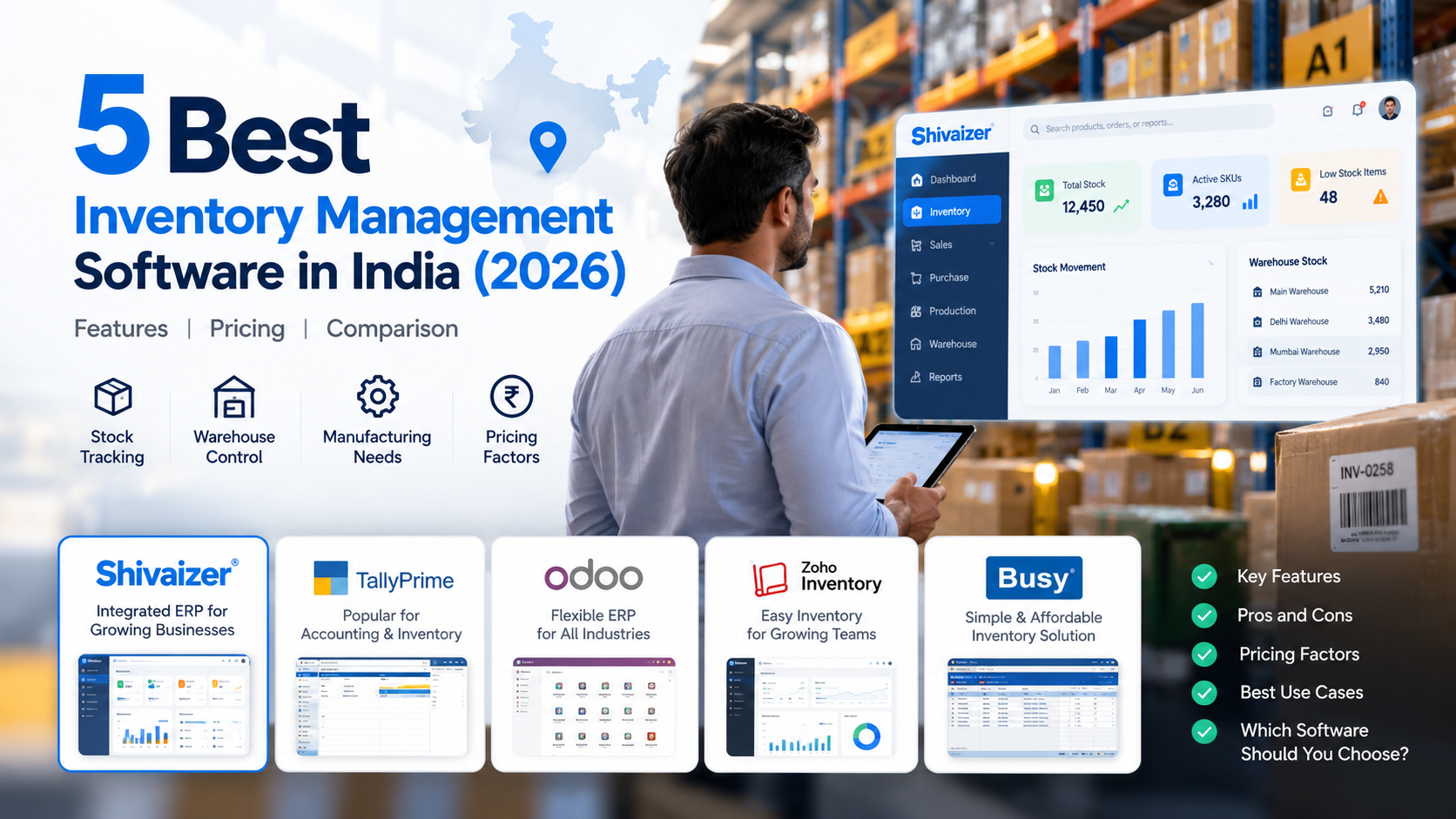
Choosing inventory management software is not just about knowing how many items are in stock. Growing businesses also need accurate records, warehouse visibility, connected purchasing and sales, and fewer delays caused by missing or excess inventory.
The right software depends on how your business operates. A trading company may need stock tracking and invoicing, while a manufacturer may need inventory connected with purchasing, production planning and warehouse operations.
This guide compares five options for Indian businesses: Shivaizer ERP, Zoho Inventory, SAP Business One, Oracle NetSuite and Marg ERP. Use it to understand business fit, features to evaluate and questions to ask before buying.
Quick answer: If you need inventory alongside purchasing, sales and wider business operations, evaluate an integrated ERP such as Shivaizer ERP. If you mainly need inventory and order management, compare specialised inventory tools too. The right choice depends on your workflows, budget, integrations and implementation requirements.
Quick Comparison: Best Inventory Management Software in India
| Software | Worth evaluating for | What to assess before buying |
|---|---|---|
| Shivaizer ERP | Connecting inventory with purchasing, sales and wider ERP workflows | Required modules, warehouse processes, production needs, integrations and implementation scope |
| Zoho Inventory | Inventory and order management within sales operations | Channel integrations, warehouse requirements, plan limits and connected applications |
| SAP Business One | Businesses evaluating an established business management platform | Implementation partner, customisation, reporting, licensing and support costs |
| Oracle NetSuite | Businesses evaluating a cloud-based ERP for broader operations | Subscription and implementation costs, localisation, integrations and reporting |
| Marg ERP | Inventory and billing workflows, particularly in trading and distribution | Industry fit, warehouse needs, integration options and features in the selected package |
This is a practical shortlist, not a universal ranking. Capabilities, editions, pricing and integrations can change. Verify the details with each vendor before deciding.
1. Shivaizer ERP
Worth evaluating if you want to connect inventory with purchasing, sales and wider business operations.
Inventory problems often start outside the warehouse. A purchase order may not reflect the latest requirement, goods may arrive in multiple shipments, or sales and stock records may show different availability.
Shivaizer ERP is worth evaluating when inventory needs to work as part of a connected business workflow rather than a standalone stock register. Explore Shivaizer Inventory Management Software.
What to evaluate
- Stock visibility: How available, received, issued and transferred stock is displayed.
- Purchase integration: How purchase orders, goods receipt and stock updates work together. See purchase management software.
- Sales integration: How sales transactions affect stock availability and dispatch planning.
- Warehouse operations: Whether the system supports your locations, transfers and stock-handling requirements.
- Manufacturing: If relevant, verify support for BOM, material planning and production workflows.
- Reporting: Review the stock, purchase and sales reports your teams use.
Who should consider Shivaizer ERP?
Consider Shivaizer if your business is moving beyond disconnected spreadsheets or separate applications and wants to bring inventory together with purchasing, sales and other business processes.
Confirm the specific modules, warehouse capabilities, integrations, deployment arrangements and commercial terms included in your proposed implementation.
2. Zoho Inventory
Worth evaluating for dedicated inventory and order management.
Zoho Inventory is an option for businesses that want to manage inventory and orders within a connected sales operation. It may be relevant when your needs centre on stock visibility, order processing and integrations with applications already in use.
What to evaluate
- Inventory and order management workflows.
- Integration with sales channels and business applications.
- Warehouse and stock-transfer requirements.
- Plan limits, users and transaction volumes.
- Whether additional applications are needed for accounting, manufacturing or other processes.
Who should consider Zoho Inventory?
Businesses with straightforward inventory and order workflows may find it useful to assess. If you have complex manufacturing, procurement or ERP requirements, map those processes before deciding between a dedicated inventory application and a broader ERP.
3. SAP Business One
Worth evaluating for connected business operations on an established ERP platform.
SAP Business One is designed for small and midsize businesses seeking an integrated business management system. Evaluate it when inventory is closely connected with purchasing, sales, finance and other operational processes.
What to evaluate
- Inventory management and warehouse workflows.
- Purchasing, sales and financial integration.
- Reporting and management visibility.
- Industry-specific requirements and customisation.
- Implementation partner experience, training, support and ongoing costs.
Who should consider SAP Business One?
Businesses with cross-functional processes and defined ERP requirements may want to include SAP Business One in their shortlist. Ask the implementation partner to demonstrate your actual scenarios and explain configuration, support and total cost.
4. Oracle NetSuite
Worth evaluating for broader operational requirements on a cloud-based ERP.
Oracle NetSuite is a cloud-based business management platform that organisations may evaluate when they need connected processes and centralised information.
What to evaluate
- Inventory visibility across relevant locations and business units.
- Integration with purchasing, sales and finance.
- Reporting and management dashboards.
- Required integrations, configuration and customisation.
- Subscription, implementation, support and other ownership costs.
Who should consider Oracle NetSuite?
Businesses with broader operational requirements or complex growth plans may want to assess NetSuite. A cloud platform is not automatically the best fit for every business; evaluate implementation effort, local requirements, support and full cost of ownership.
5. Marg ERP
Worth evaluating for inventory and billing workflows, particularly in trading and distribution.
Businesses with frequent purchases, sales and stock movements need inventory records that support daily transactions. Marg ERP is an option to assess when comparing inventory and billing-oriented workflows.
What to evaluate
- Purchase and sales transaction handling.
- Stock records and inventory reporting.
- Warehouse and multi-location requirements.
- Industry-specific workflows.
- Integration with accounting, billing or other business systems.
Who should consider Marg ERP?
Trading and distribution businesses may want to include Marg ERP in their evaluation. If you need production planning, complex warehouse processes or wider operational integration, ask for a demonstration of those workflows and confirm which features are included in the proposed edition.
How to Choose the Right Inventory Management Software
The best software is the one that fits your business processes, not necessarily the one with the longest feature list.
1. Do you manage one warehouse or several?
If you operate multiple warehouses, branches or storage locations, check whether the software provides the stock visibility and transfer controls you need. Ask the vendor to demonstrate a transfer and show how both location balances update.
2. Do you need inventory connected with purchasing and sales?
When these functions are handled separately, teams may need to reconcile records manually. Evaluate how the software connects purchase orders, goods receipt, sales orders, dispatch and stock updates. See the purchase order management software workflow if purchase orders are central to your process.
3. Do you manufacture products?
Manufacturers may need to manage raw materials, semi-finished goods, finished goods, bills of materials and production requirements. Read our guide to inventory ERP software for manufacturers for a more focused look at manufacturing needs.
4. Do you need barcode or batch-level tracking?
Barcode scanning can help teams identify products and record stock movements. Batch, lot, serial-number or expiry tracking may also matter. Confirm the tracking method, device compatibility and transaction process you require.
5. Can the software work with your existing systems?
List the applications that must exchange information with the new software, such as accounting, e-commerce, billing or production systems. Confirm the integration method, fields exchanged, update frequency, error handling and extra charges.
Inventory Management Software Features to Compare
Use this checklist when reviewing products. Prioritise features based on how your business operates.
| Feature | Why it matters | What to verify |
|---|---|---|
| Real-time stock visibility | Supports decisions using current stock information | When transaction updates become visible |
| Multi-warehouse management | Helps manage stock across locations | Location balances, transfers and reports |
| Purchase integration | Connects procurement with goods received and stock records | Purchase order, receipt and stock workflow |
| Sales integration | Coordinates fulfilment and stock availability | Reservation, dispatch and stock deduction rules |
| Barcode scanning | Can reduce manual product identification | Devices, labels and transaction types supported |
| Batch, lot or serial tracking | Supports traceability where needed | Tracking level and reports |
| Reorder controls | Helps identify stock that may need replenishment | Alert rules, thresholds and purchasing workflow |
| Manufacturing support | Connects material requirements with production | BOM, material planning and production transactions |
| Inventory reports | Supports reconciliation and operational decisions | Stock ledger, valuation, movement and ageing |
| Access controls | Helps manage who can view or update records | Permissions, approvals and audit history |
A small trading business may not need the same manufacturing controls as a factory. A multi-warehouse distributor may place greater importance on transfers and location-wise stock visibility.
Inventory Management Software Pricing in India: What Should You Budget For?
There is no single price that applies to every inventory management system. Total cost depends on the product, edition, user count, modules, implementation scope and support arrangements. Compare total cost of ownership rather than only the advertised starting price.
| Cost component | Questions to ask |
|---|---|
| Licence or subscription | Is pricing per user, company, location or plan? |
| Implementation | Are configuration, workflow setup and deployment included? |
| Data migration | What does it cost to migrate stock, item masters and transaction data? |
| Integrations | Are accounting, sales-channel and other integrations included? |
| Customisation | Are additional reports, fields, approvals or workflows required? |
| Training | How many users and sessions are covered? |
| Support | What ongoing support is included or charged separately? |
| Future growth | How will costs change as users, warehouses or modules are added? |
Request a written quotation based on your requirements. Separate recurring fees from one-time charges and ask about usage limits. A low starting price may not mean a lower overall cost if you need extra applications, manual reconciliation or extensive customisation. A larger ERP implementation may also be unnecessary for simple requirements.
Businesses managing purchasing approvals, goods receipt and invoice workflows may also want to evaluate procure-to-pay software.
How to Evaluate Inventory Software Before Buying
Ask each shortlisted vendor to demonstrate the same business scenarios. This makes the comparison more objective and helps reveal gaps that a standard sales presentation may not show.
- Receive stock: Reference a purchase order, record goods received and check how inventory updates.
- Transfer stock: Move items between locations and verify source and destination balances.
- Process a sale: Record a sales transaction and follow stock updates through dispatch.
- Check a stock mismatch: Review physical counting, reconciliation and authorised adjustments.
- Review reports: Check whether reports show the quantities, locations and transaction history your team needs.
- Test your industry workflow: For manufacturing, demonstrate material and production requirements; for distribution, demonstrate fulfilment and warehouse movement.
- Review implementation: Confirm migration scope, responsibilities, training, support and deployment milestones.
Frequently Asked Questions
Which is the best inventory management software in India?
There is no single best option for every business. Shivaizer ERP, Zoho Inventory, SAP Business One, Oracle NetSuite and Marg ERP serve different requirements. Evaluate them against your workflows, integrations, budget and implementation scope.
Which inventory software is suitable for small businesses?
Start with essential requirements such as stock tracking, purchasing, sales, billing, reporting and number of locations. A focused inventory application may be enough for simple operations, while an integrated ERP may suit businesses that need connected records across departments.
What is the difference between inventory software and ERP software?
Inventory software primarily focuses on stock and related workflows. ERP software connects inventory with other functions such as purchasing, sales, finance and, where supported, manufacturing.
Is inventory management software useful for manufacturers?
It can help manufacturers maintain stock records and track material movements. Check whether the system also supports bills of materials, material planning and finished-goods tracking if those processes are required.
What features should I look for in inventory software?
Start with stock visibility, warehouse management, purchase and sales integration, inventory reporting and product tracking. Add barcode scanning, batch or serial tracking, manufacturing and access controls where needed.
How much does inventory management software cost in India?
Pricing varies by vendor, plan, user count, implementation requirements and integrations. Request a quote covering licence or subscription, setup, migration, training, support and future expansion.
Can inventory software replace Excel-based stock tracking?
It can replace many manual stock tasks when workflows are properly configured and employees record transactions consistently. Assess data quality, migration, approvals and training before switching.
What should I check before switching inventory software?
Review data migration, opening stock, item masters, warehouse balances, integrations, permissions, reports and staff training. Test the main workflows before moving fully to the new system.
Final Recommendation
The right inventory management software should help your business maintain dependable stock records and connect inventory with the processes that influence stock availability.
For straightforward inventory and order management, evaluate dedicated inventory tools. If you need inventory connected with purchasing, sales, manufacturing or other operational processes, compare integrated ERP options as well.
Shivaizer ERP is worth evaluating if your business wants to bring inventory together with purchasing, sales and wider business workflows. Map your requirements, review the relevant modules and see how the system handles your actual transactions.
See whether Shivaizer fits your inventory workflow
Discuss your stock, purchasing and operational requirements with the team and request a demonstration based on your actual business processes.
Explore Inventory SoftwareContact the Shivaizer TeamShivaizer ERP · Business enquiry
Let’s Discuss Your Business Needs
Share a few details. Our team can contact you to understand your requirements and discuss the right next step.