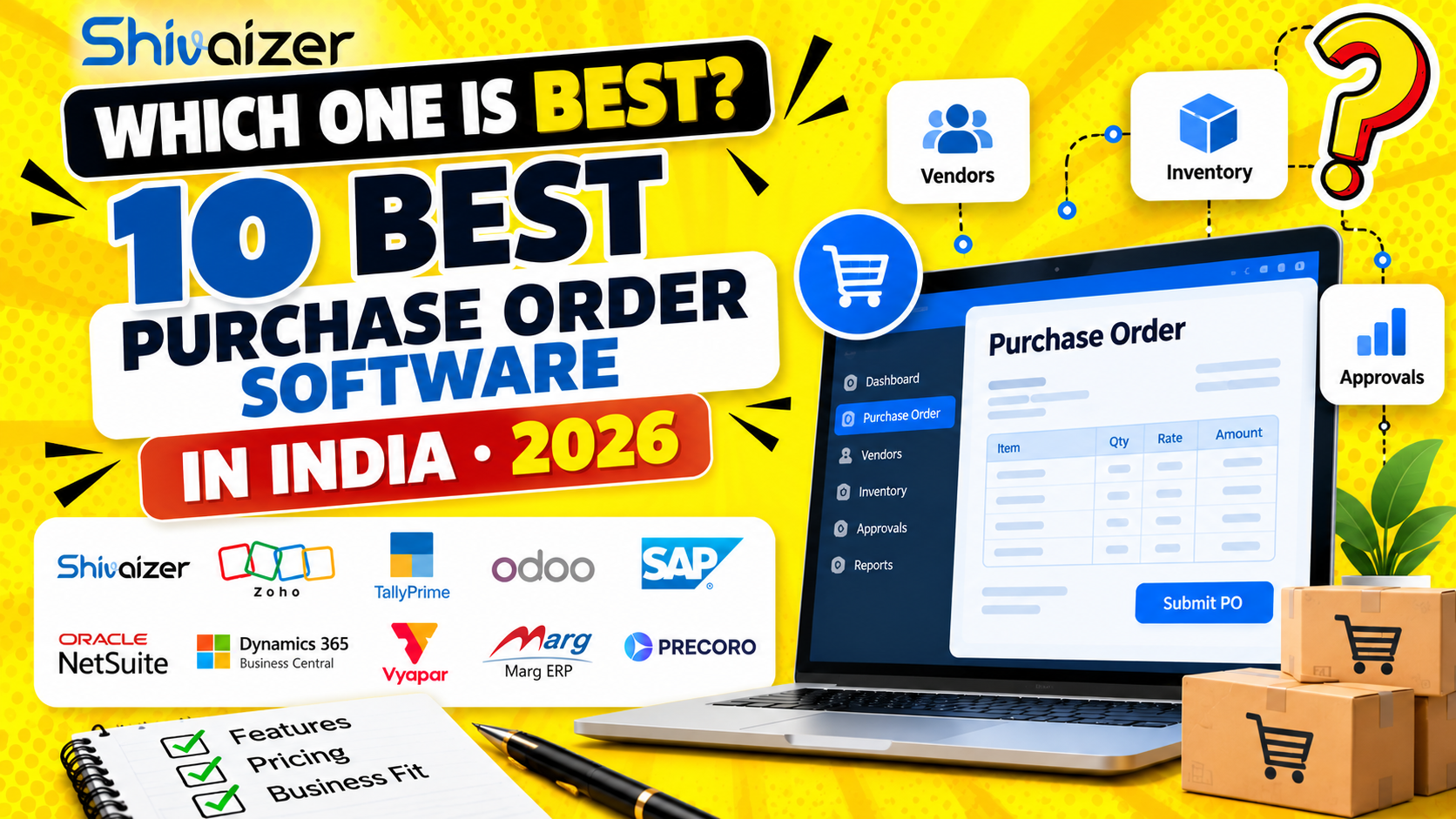
10 Best Purchase Order Software in India (2026)
Choosing purchase order software is not just about creating purchase orders faster. The right system should help your business control approvals, track supplier commitments, manage goods receipts and maintain accurate purchasing records.
For manufacturers, distributors, wholesalers and growing businesses, the bigger question is whether purchase orders connect with inventory and finance—or remain separate documents that teams must reconcile manually.
In this guide, we compare 10 purchase order software options for Indian businesses, including their key strengths, potential limitations, pricing considerations and the type of business each may suit. We also explain what to check before selecting a system for your purchasing workflow.
Quick answer: If you need purchasing connected to inventory and broader ERP operations, evaluate an integrated ERP such as Shivaizer, Odoo, SAP Business One or Microsoft Dynamics 365 Business Central. If your requirements are narrower, a purchasing and inventory application or an accounting-led system may be sufficient. The right choice depends on your workflows, scale, implementation needs and total cost.
Looking for an integrated purchasing and inventory solution? Explore Shivaizer Purchase Order Management Software.
Table of Contents
- What is purchase order software?
- How we compare purchase order software
- 10 purchase order software options in India
- Purchase order software comparison table
- How much does purchase order software cost in India?
- How to choose the right software for your business
- Questions to ask before a software demo
- Frequently asked questions
- Final thoughts
What Is Purchase Order Software?
Purchase order software helps businesses create, approve, issue and track purchase orders sent to suppliers. Depending on the product, it may also support purchase requisitions, requests for quotation (RFQs), supplier quotation comparisons, goods receipts, invoice matching and purchasing reports.
A basic purchase order tool may handle document creation and status tracking. A more integrated purchase management system connects purchasing with inventory, accounts and other business operations.
For example, a manufacturing business may need to:
- Identify a raw-material requirement.
- Raise a purchase requisition and obtain approval.
- Request quotations from suppliers.
- Compare prices, quantities and delivery commitments.
- Issue a purchase order.
- Record goods received against the order.
- Update stock for the accepted quantity.
- Match the supplier invoice with the order and receipt.
When these activities are connected, purchasing, warehouse and finance teams can work from consistent transaction records instead of relying on separate spreadsheets and follow-up messages.
How We Compare Purchase Order Software
The products below are presented as options to evaluate, not as a universal ranking. Software that suits a small trading business may not meet the needs of a multi-location manufacturer.
This comparison considers the products’ stated purpose, purchasing capabilities, integration scope, business fit and publicly available pricing information. Pricing and feature availability can vary by country, edition, subscription and implementation.
Before purchasing, confirm the exact capabilities included in the proposed plan with the vendor.
10 Purchase Order Software Options to Consider in India
1.
Shivaizer ERP by Shivit Technologies
Best suited for evaluation by: Indian businesses looking to connect purchasing with inventory and wider ERP operations.
Shivaizer ERP is an option for businesses that want purchasing records to work alongside other business transactions. Its purchase management offering describes workflows covering purchase requests, approvals, vendor management, purchase orders, goods receipts, invoice matching and inventory-connected purchasing.
This approach may be relevant to manufacturers, distributors and traders who need purchasing and stock information to remain connected.
Capabilities to evaluate
- Purchase requisitions and approval workflows.
- Purchase order creation and tracking.
- Vendor records and quotation comparisons.
- Goods receipt and invoice-matching workflows.
- Purchasing visibility alongside inventory and finance.
- Integration with existing accounting or ERP systems.
Potential considerations
Before selecting Shivaizer, ask for a demonstration using your actual workflow. Confirm which approval rules, reports, integrations, inventory updates and invoice-matching functions are included in your proposed configuration. Ask about implementation scope, training, support and the complete commercial quotation.
Pricing: Request a current quotation from Shivit Technologies. A verified current public price for this specific configuration is not stated here.
Explore further: Shivaizer Purchase Order Management Software.
2. Zoho Inventory
Best suited for evaluation by: Businesses that need inventory management alongside purchasing and order operations.
Zoho Inventory provides purchase orders, purchase receipts, vendor payments, warehouse management and related inventory functions. Its documentation also describes purchase order submission and approval operations. Feature availability can depend on the plan and configuration. (Official product information)
Capabilities to evaluate
- Purchase order creation and tracking.
- Purchase receipts and supplier transactions.
- Inventory management across locations.
- Integration with the wider Zoho business application ecosystem.
- GST-related configuration for Indian businesses.
Potential considerations
Check the transaction limits, warehouse or branch limits, integrations and reporting included in your chosen plan. If your business has manufacturing-specific workflows, test those requirements rather than assuming an inventory application will cover them.
Pricing: Refer to Zoho Inventory’s official website. Confirm current India-specific plan prices and limits before comparing total cost.
3. TallyPrime
Best suited for evaluation by: Businesses whose main requirement is accounting and financial management, with purchasing workflows as part of daily operations.
TallyPrime is positioned as business management and accounting software. Its official India pricing page lists subscription options as well as a lifetime licence option for TallyPrime Silver and multi-user options for TallyPrime Gold. (Official pricing)
Capabilities to evaluate
- Purchase transactions and accounting records.
- Supplier and financial reporting.
- Tax-related accounting workflows.
- Multi-user requirements and access.
- Whether the available purchase workflow meets your approval and inventory requirements.
Potential considerations
If your business needs multi-stage purchasing approvals, supplier quotation comparisons, extensive warehouse operations or manufacturing-specific workflows, demonstrate those requirements before deciding whether the standard product and any required extensions are sufficient.
Indicative public pricing: The official page lists TallyPrime Silver at ₹750 for one month and ₹22,500 for a lifetime licence, excluding 18% GST, at the time checked. Promotional rates and licence terms may change. Confirm the current price directly with Tally.
Official website: TallyPrime.
4. Odoo
Best suited for evaluation by: Businesses seeking an ERP platform with purchasing, inventory and other applications.
Odoo’s Purchase application supports requests for quotation, purchase orders, supplier follow-ups, purchase agreements and related reporting. Its documentation also describes partial receipts, approval of expensive orders and vendor-bill matching workflows. (Official Purchase documentation)
Capabilities to evaluate
- RFQs and purchase orders.
- Supplier price and delivery comparisons.
- Purchase agreements and recurring orders.
- Receipt and vendor-bill workflows.
- Purchasing connected with inventory and other ERP applications.
Potential considerations
Check which applications are included in your selected plan, whether customisation is required, and who will implement and support the system. The cost of implementation, extensions and ongoing maintenance may affect the total cost of ownership.
Pricing: Odoo publishes plan pricing on its official website. Its displayed rates can depend on the selected plan, billing arrangement and region. Check the current quotation for your intended deployment before comparing prices.
Official website: Odoo pricing.
5. SAP Business One
Best suited for evaluation by: Small and midsize businesses looking for an integrated ERP covering purchasing, inventory, sales and finance.
SAP Business One brings purchasing into a broader business-management system. SAP describes capabilities across purchasing, inventory, accounting, sales, reporting and analytics. (Official product overview)
Capabilities to evaluate
- Purchasing transactions and supplier records.
- Inventory and financial integration.
- Reporting across business functions.
- Multi-location and operational requirements.
- Local implementation and support arrangements.
Potential considerations
Ask the implementation partner to demonstrate your complete purchase cycle, including approvals, partial receipts, invoice matching and required integrations. Licensing, implementation effort, customisation and partner services should be included in the commercial evaluation.
Pricing: Request a quotation from SAP or an authorised implementation partner. A single universal India price is not provided here.
Official website: SAP Business One.
6. Oracle NetSuite
Best suited for evaluation by: Growing or larger businesses seeking cloud ERP and centralised procurement visibility.
Oracle NetSuite Procurement describes purchasing workflows that connect supplier records, purchase orders, goods receipts and billing documents. It also highlights centralised vendor management and visibility into spending and supplier performance. (Official procurement overview)
Capabilities to evaluate
- Centralised purchasing and supplier records.
- Purchase order processing.
- Goods receipt and billing connections.
- Procurement reporting and spend visibility.
- Integration with finance and broader ERP operations.
Potential considerations
Confirm the modules required, user and entity scope, integrations, implementation services and ongoing subscription costs. Businesses operating in India should also validate local tax, accounting and reporting requirements for their specific configuration.
Pricing: Request a tailored quotation from Oracle NetSuite. Confirm the full subscription and implementation costs rather than relying on estimates from unrelated implementations.
Official website: NetSuite Procurement.
7. Microsoft Dynamics 365 Business Central
Best suited for evaluation by: Small and midsize businesses seeking connected finance, sales, operations and supply-chain management.
Microsoft Dynamics 365 Business Central is an ERP platform for small and midsize businesses. Its scope includes finance, operations and supply-chain processes, with additional functionality and extensions available according to requirements. (Official product overview and pricing)
Capabilities to evaluate
- Purchasing and supplier transactions.
- Financial and operational integration.
- Approval workflows and reporting.
- Inventory and supply-chain requirements.
- Integration with Microsoft 365 and partner applications.
Potential considerations
Check which capabilities are available in the chosen licence, which extensions are required and how the implementation partner will configure purchasing, inventory and finance for your business.
Indicative public pricing: Microsoft’s India page lists Business Central Essentials at ₹6,655 per user per month and Premium at ₹9,150 per user per month, paid yearly, excluding applicable GST, at the time checked. Confirm current terms directly with Microsoft.
Official website: Dynamics 365 Business Central.
8. Vyapar
Best suited for evaluation by: Small businesses that want a straightforward way to manage day-to-day billing, inventory and purchase-related records.
Vyapar is an option to evaluate if your requirements are centred on simpler business operations rather than a complex procurement lifecycle.
Capabilities to evaluate
- Purchase documentation and supplier records.
- Inventory and billing requirements.
- Reporting and day-to-day transaction handling.
- Multi-user access and the intended deployment.
- Whether approvals and supplier quotation comparisons are supported in your selected version.
Potential considerations
If your team needs multi-level approval policies, formal RFQ comparisons, partial goods receipt tracking or integration across multiple departments, ask for a demonstration of those exact scenarios before choosing a plan.
Pricing: Check the current official product and pricing information for your required version. A verified current India-specific price for the exact purchase-order configuration is not stated here.
Official website: Vyapar.
9. Marg ERP
Best suited for evaluation by: Businesses with inventory, distribution, wholesale or retail requirements that need purchase and stock workflows.
Marg ERP offers inventory management software with purchasing-related and stock-management functions. Its published product information describes inventory plans and editions, with pricing dependent on the edition and requirements. (Official product information)
Capabilities to evaluate
- Purchase transactions and supplier records.
- Inventory and stock reporting.
- Multi-user and multi-company requirements.
- Reporting for the business’s specific industry.
- Integration with accounting and other applications.
Potential considerations
Confirm the exact purchasing approval, RFQ, goods receipt and integration requirements supported by the proposed edition. Include support, customisation and implementation in the quotation.
Indicative public pricing: Marg’s cited inventory page lists editions beginning at ₹28 per day, billed annually, plus GST, with additional charges and customer-specific variations. This is a published inventory-software price example, not a verified quote for every purchase-order configuration. Confirm current terms with Marg.
Official website: Marg ERP.
10. Precoro
Best suited for evaluation by: Businesses looking for a procurement-focused platform rather than a complete ERP replacement.
Precoro is worth evaluating when the main objective is to formalise purchasing processes, approvals and procurement control. Confirm the current product scope and available integrations against your specific requirements before including it in a final shortlist.
Capabilities to evaluate
- Purchase request and approval workflows.
- Purchase order creation and tracking.
- Supplier management and purchasing controls.
- Reporting and integration with accounting or ERP systems.
- The process for receiving goods and reconciling supplier invoices.
Potential considerations
Determine whether the platform can work with your existing ERP and accounting tools, or whether you would need a separate inventory or finance system. Verify any required integration, implementation and support costs.
Pricing: Obtain a current quotation from Precoro for the intended users, workflows and integrations. A verified India-specific public price is not stated here.
Official website: Precoro.
Purchase Order Software Comparison Table
Use this table as a shortlist, not as a substitute for a product demonstration. The level of purchasing control and integration available can depend on the selected product, plan, implementation and extensions.
| Software | Main evaluation focus | Pricing approach |
|---|---|---|
| Shivaizer ERP | Purchasing connected with inventory and wider ERP workflows | Request a quotation |
| Zoho Inventory | Purchasing and inventory operations | Published plans; confirm current price |
| TallyPrime | Accounting-led business operations | Public licence and subscription pricing |
| Odoo | Modular ERP and purchasing workflows | Published plans; confirm deployment and add-ons |
| SAP Business One | Integrated ERP for growing businesses | Partner or vendor quotation |
| Oracle NetSuite | Cloud ERP and centralised procurement | Tailored quotation |
| Dynamics 365 Business Central | ERP across finance and operations | Public per-user pricing for selected plans |
| Vyapar | Simpler business, billing and inventory needs | Check current plan pricing |
| Marg ERP | Inventory and purchase-related operations | Edition- and requirement-dependent |
| Precoro | Procurement process and approvals | Request a quotation |
Features to Compare Before You Buy
| Buying criterion | What to verify during the demo |
|---|---|
| Purchase order creation | Can users create, revise, approve and track POs? |
| Approval workflows | Can approval rules depend on amount, department or purchase type? |
| RFQ and vendor quotations | Can the system collect and compare supplier quotations? |
| Goods receipt | Can it record partial receipts and outstanding quantities? |
| Inventory integration | When and how do accepted quantities update stock? |
| Finance integration | Can purchase orders, receipts and supplier bills be reconciled? |
| Multi-location support | Can it manage multiple warehouses, branches or entities as required? |
| Reporting | Can teams report on open orders, pending receipts and purchasing spend? |
| Pricing | What licence, implementation, support and integration costs apply? |
| Implementation | What data migration, configuration, training and support are included? |
How Much Does Purchase Order Software Cost in India?
There is no single price for purchase order software. The total cost depends on whether you need a standalone tool, an inventory application or an ERP that connects purchasing with finance and operations.
Public prices can provide an initial comparison, but the subscription or licence is only one part of the cost.
Common pricing models
Per-user subscription: The cost depends on the number of licensed users and the selected plan.
Licence-based pricing: Some products offer a subscription, a licence for a defined period or a lifetime licence. Check upgrade, support and maintenance terms.
Quote-based pricing: ERP and procurement implementations may be quoted according to modules, user scope, deployment, customisation and integration requirements.
What should your budget include?
Before comparing quotations, ask vendors to separate:
- Software licence or subscription.
- Implementation and configuration.
- Data migration and opening balances.
- Integration with accounting, inventory or other systems.
- Custom reports and additional workflows.
- User training, support and future upgrades.
- Taxes and any additional recurring charges.
For example, a lower initial licence price may not be the lower-cost option if your business needs extensive manual reconciliation or paid customisation.
Buying tip: Compare the total cost of ownership over the same period, such as three years, and use the same user count, transaction volume and implementation scope for every quotation.
How to Choose the Right Purchase Order Software for Your Business
The right system depends on the complexity of your purchasing process, not simply the number of features on a product page.
1. Identify your current purchasing problems
Start by listing the issues your team faces today. These might include delayed approvals, duplicate orders, supplier follow-ups, incomplete delivery records or differences between ordered, received and billed quantities.
Prioritise the problems that affect cash flow, production continuity, stock accuracy or management visibility.
2. Map your purchase workflow
Write down each step from purchase request to supplier payment. Identify who raises the request, who approves it, how vendors are selected, how goods are received and how invoices are checked.
Use the same workflow when evaluating every vendor.
3. Check purchasing and inventory integration
If your business handles physical goods, check whether purchasing and inventory share transaction records.
For example, if a supplier delivers 100 units against an order for 150, the system should make it possible to track the received quantity and the outstanding balance. Confirm exactly how partial receipts affect inventory, order status and subsequent billing.
4. Evaluate approval and supplier controls
Check whether the software can support your approval structure, spending limits, supplier records and quotation comparison process.
The goal is to make purchasing decisions traceable without adding unnecessary administrative work.
5. Confirm finance and tax requirements
Ask how the system handles supplier bills, tax fields, accounting entries and reconciliation. If GST-related workflows or e-invoicing are important, ask the vendor to demonstrate the specific supported process.
Do not assume that a purchase order automatically creates a compliant tax invoice or completes every statutory requirement.
6. Calculate total cost of ownership
Compare software, implementation, integrations, training, support and customisation costs. Also consider how much manual work your current process requires.
7. Test the system using real business scenarios
Use a sample purchase involving a requisition, supplier quotations, an approved PO, a partial delivery, a goods receipt and a supplier invoice.
A practical demonstration will reveal more than a generic feature checklist.
Questions to Ask Before a Purchase Order Software Demo
Take these questions to every vendor demonstration:
- Can the system create purchase orders from approved purchase requisitions?
- Can we define different approval levels for different purchase values or departments?
- Can we compare quotations from multiple suppliers?
- Can we track partial deliveries and outstanding purchase quantities?
- How does a goods receipt update inventory?
- Can we match the purchase order, goods receipt and supplier invoice?
- What happens when a purchase order is cancelled or closed?
- Can we report on open orders, pending receipts and supplier delivery performance?
- Which accounting, inventory and other integrations are included?
- What is the complete implementation cost, and what ongoing charges apply?
Ask each vendor to demonstrate the same scenarios. This makes it easier to compare products fairly and identify gaps before signing a contract.
Frequently Asked Questions
1. What is the difference between purchase order software and purchase management software?
Purchase order software focuses on creating, approving, issuing and tracking purchase orders. Purchase management software can cover a wider process, including purchase requests, approvals, RFQs, supplier quotations, purchase orders, goods receipts, invoice checks and purchasing reports. The exact scope depends on the product.
2. How much does purchase order software cost in India?
Pricing depends on the product, licence model, users, modules, implementation and integrations. Some vendors publish subscription or licence prices, while others provide customised quotations. Compare the complete cost, including setup, training, support and additional services, before deciding.
3. Can purchase order software manage partial goods receipts?
Some systems support partial goods receipts and track the balance still due against an order. Confirm whether the software records multiple receipts against one purchase order, updates inventory correctly and retains the outstanding quantity until delivery is complete.
4. Can purchase orders automatically update inventory?
A purchase order usually represents goods ordered, not necessarily goods physically received. In an integrated purchasing and inventory system, stock is generally updated through the configured goods-receipt or accepted-receipt process. Ask the vendor to demonstrate when stock changes and how rejected, damaged or short-delivered quantities are handled.
5. What should manufacturers check before choosing purchase order software?
Manufacturers should evaluate raw-material purchasing, supplier quotations, approval workflows, purchase order tracking, partial receipts, quality checks where required, inventory integration and supplier invoice reconciliation. They should also check whether purchasing connects with production planning or material requirements where those workflows are important.
6. Does purchase order software integrate with accounting and GST workflows?
Integration varies by product and configuration. Ask whether purchase transactions, supplier records, tax fields, goods receipts and supplier bills connect to your accounting system. Verify the exact GST-related and e-invoicing functions you require rather than relying on a general claim of compliance.
7. How can businesses compare purchase order software before buying?
Define your requirements, shortlist suitable products, compare capabilities using the same criteria, obtain complete quotations and test a representative purchase workflow. Evaluate implementation effort, integrations, reporting, training and support alongside the subscription or licence price.
8. When should a business consider an integrated ERP instead of a standalone purchase order tool?
An integrated ERP is worth evaluating when purchasing needs to work with inventory, sales, production, warehouses or finance. If your team repeatedly reconciles separate systems, an integrated workflow may provide better operational visibility. Confirm the benefits and implementation effort against your own requirements.
Final Thoughts: Choose Software That Fits Your Purchasing Workflow
The right purchase order software should make it easier to control approvals, track supplier commitments and maintain accurate purchasing records. For businesses handling physical goods, the connection between purchase orders, goods receipts, inventory and finance deserves particular attention.
A smaller business with straightforward purchasing may need only a focused application. A manufacturer, distributor or multi-location business may need a more integrated ERP workflow.
Before making a decision, compare products using your real purchasing scenarios, obtain transparent quotations and verify the features included in the proposed configuration.
Evaluating purchasing and inventory integration for your business?
Explore Shivaizer Purchase Order Management Software to review the purchasing workflow, then contact Shivit Technologies to discuss your requirements and request a product demonstration.
SEE SHIVAIZER IN ACTION
Make purchasing easier to manage.
Explore purchase orders, approvals and inventory workflows in Shivaizer ERP.
- Explore a workflow relevant to your business
- Discuss purchasing and inventory needs
- Understand the right next step for your team
Request a Product Demo
Share your details and our team will get in touch.